


Practical upgrades to remove barriers in-store and online
Accessibility upgrades don’t have to be a giant remodel or a total website rebuild. I’ve seen the best results when retailers make a few clear changes, test them with real shoppers, and then roll out the next layer.
- Start with the “no-excuses” physical basics: Walk your store like you’re pushing a stroller or using a mobility device: check for a step at the entrance, tight turns, cluttered endcaps, and fitting rooms that don’t allow a full turn. Prioritize simple fixes first, portable ramps where allowed, wider aisle pathways by moving a display, lower checkout counters, and at least one accessible fitting room with a bench, hooks, and easy-to-reach call button. These changes help more people than you might expect, including shoppers carrying bags, healing from injuries, or navigating with kids.
- Add voice-assisted navigation where decisions happen: In-store, think “voice for wayfinding” at the exact moments shoppers usually get stuck, finding a department, locating a restroom, or checking stock. A practical starting point is QR codes on aisle headers that open a voice-friendly page with short directions, plus an option to call for assistance without hunting down staff. Online, make sure search, filters, and product pages work smoothly with screen readers and voice control, because that’s how many shoppers “walk the aisles” digitally.
- Offer tactile maps and braille as a real navigation tool: If your layout is larger than a few aisles, create a tactile map at the entrance and customer service desk, paired with braille and large-print signage for key locations. Keep it updated, an accurate map is more valuable than a fancy one, so assign ownership to a specific role (for example, the opening manager checks it monthly). For seasonal resets, plan where tactile cues still make sense so your accessibility doesn’t disappear when displays change.
- Use AR virtual try-ons to reduce fitting-room friction: When AR try-ons are done well, they cut down on “try five, buy none” fatigue and help shoppers who avoid fitting rooms due to mobility, sensory needs, or privacy concerns. Start with one category, eyewear, cosmetics, or a single apparel line, and add clear sizing notes and high-contrast visuals. This pairs nicely with the AI upscaling work you’ve already done on product photos, because sharper images make zooming and virtual previews more useful.
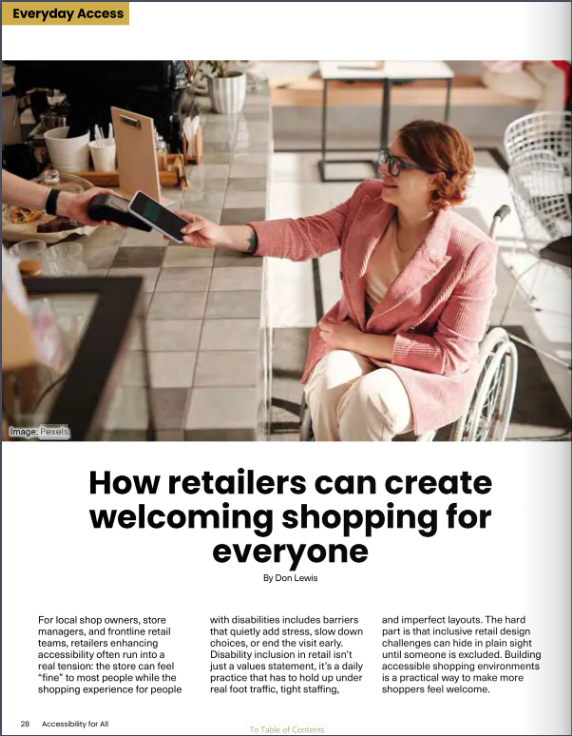
- Make mobile payment accessibility part of checkout, not an afterthought: Audit checkout for touch targets, contrast, and timeouts. Offer at least two accessible payment paths: tap-to-pay on a reachable terminal, plus a staff-assisted option that doesn’t require handing over a phone or reading tiny prompts. If you use kiosks or customer-facing screens, test them with screen readers and zoom, payment is the moment where a small barrier becomes a full stop.
- Train staff with routines, not just reminders: A single training session won’t stick unless you give people a repeatable way to check themselves. Many teams succeed with digital retail accessibility checklists that staff can pull up on mobile devices to monitor and complete tasks like keeping aisles clear and verifying ramps and fitting rooms are usable. Build a simple monthly rhythm: 10-minute refreshers, one scenario role-play (for example, guiding someone to a quieter area), and a way for staff to flag barriers without blame.
When you treat accessibility like a phased rollout, measure, fix, retest, you create a shopping experience that feels calmer, clearer, and more human for everyone.
Accessibility questions retailers ask most

Q: What’s the best first step if I have a limited budget?
A: Start by removing the barriers that stop a visit cold: entrances, aisles, and checkout. Do a 20 minute walkthrough with a “hands full” mindset and fix what you can in a week. Then ask two or three shoppers for feedback and adjust.
Q: How do I add assistive tech without overwhelming staff?
A: Pilot one tool at a time and give it a simple script. For example, train one shift to support QR based wayfinding and one “help” button flow, then expand once it feels routine. Keep a one page cheat sheet at the register.
Q: Should I worry about legal standards for online shopping tools?
A: If you have a website, app, or digital documents, standards matter. Many organizations use WCAG 2.1 Levels A and AA as the practical benchmark for accessible digital experiences. A quick audit can tell you what to prioritize.
Q: How do we build real sensitivity to customer differences?
A: Teach staff to ask, “How can I make this easier for you today?” and then wait. Use short role plays for common moments like sensory overwhelm, reading small screens, or needing more time at checkout. Reinforce that offering options is respectful, not awkward.
Turn accessibility into ongoing improvement through customer feedback
Accessibility can feel like a moving target, staff are busy, budgets are real, and no one wants to “get it wrong.” The steady way forward is the mindset we’ve used throughout: start where you are, design for real people, and keep improving based on what shoppers tell you. When you treat inclusive retail as a normal part of operations, you unlock the benefits of inclusive retail, stronger loyalty, fewer friction points, and a store that works better for everyone. Accessibility is a practice, not a project.